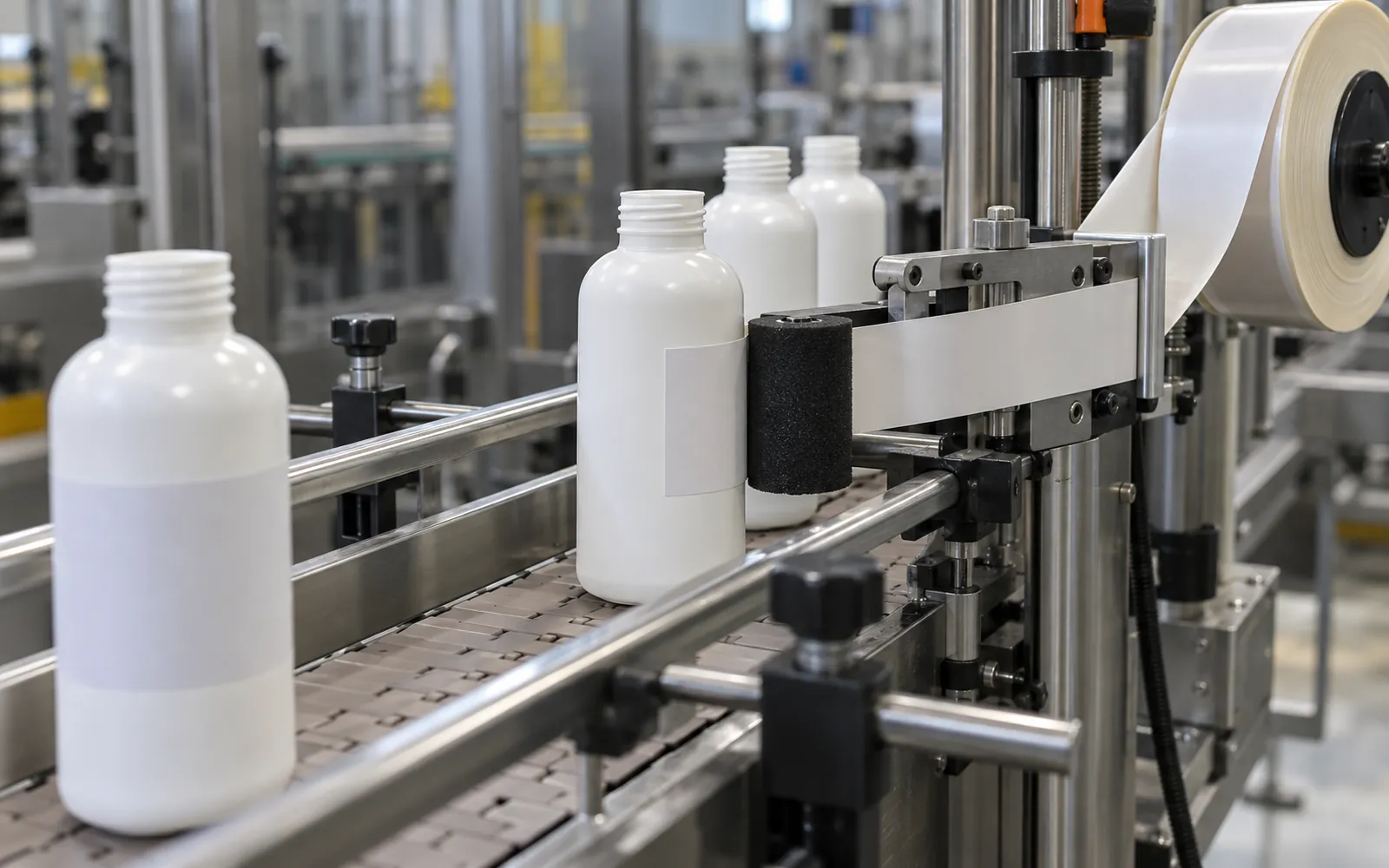
A label head that suits the label can still fail on the line: if containers reach it off-centre, tilted, or at uneven speed, labels land crooked or wrinkled. Choose a label application machine from the container’s posture and the face that carries the label, then define the infeed and outfeed and have the supplier run your real samples.
This guide is for packaging and automation engineers and buyers adding an apply-only labeler, which places preprinted pressure-sensitive labels from a roll, to a bottle, jar, carton, or tube line. It sorts the configuration by how each container arrives and where its label goes, then turns the line handoff and the supplier’s sample run into records you can compare. It leaves print-and-apply, shrink sleeves, glue labeling, and label content rules to other guides. Collect the inputs below first; the station worksheet and sample-review record are where they end up.
| Input | Where the value comes from | Why it matters |
|---|---|---|
| Container posture on arrival: upright or on its side, which face leads | Your container drawings and samples, filled and empty | Points to the configuration family |
| Target label face and position, with tolerance | Your label position drawing | Sets the placement limit the sample run is judged against |
| Label stock: size, shape, material | Your label specification and roll samples | A published selection input for the head and transfer method |
| Who loads, supports, and triggers each container | Your line plan and staffing | Decides the handling scope you are buying |
| Arrival speed, orientation, and height; transfers; stop response | Your layout and the neighbouring stations | Placement follows how containers arrive at the head |
| Real containers and labels for every format | Production stock, in the condition you will run | Only a run on the proposed configuration settles fit |
What does a label application machine do on a line?
It takes preprinted pressure-sensitive labels from a roll and places them on each product as it is presented. It does not print; print-and-apply is a separate configuration. Whether the label lands in the right place depends as much on how the container is carried, guided, and timed as on the head itself.
Label-equipment suppliers describe two general categories of applicator: those that apply preprinted labels and those that print onto the label and then apply it. This page deals only with the first. A general search for labeling machines also returns printing modules, shrink-sleeve equipment, and RFID or EAS tag applicators, which an industry directory groups in the same category.
Heads transfer the label in one of two broad ways. In wipe-on application, a roller or brush presses the label on as the product passes the dispense edge; one supplier calls this the most common method. In air-blow and tamp-blow application, the label is held on a vacuum grid and released with a blast of air, and tamp-blow first moves the grid toward the product. One catalogue describes wipe-on as gentle contact and the other two as non-contact. Which method suits a recessed panel, a small label, or a delicate container is a question to put to the supplier with your sample, not a rule this page can settle.
The station’s place in the line also decides what arrives at it. One filling-line integration guide places the labeler after the filler and capper and calls it one of the stations most sensitive to upstream variation. Packaging line design covers how station order and rates are set before individual machines are chosen.
Takeaway: Treat the label station as part of the line, and specify what reaches it before you compare heads.
Who loads and supports the container?
Each configuration hands a different job to the operator or to the line. Manual and semi-automatic units rely on a person to place each container. An integrated system carries the container on its own conveyor, loaded automatically or by hand. A standalone head relies entirely on handling that someone else supplies.
| Configuration | Who places the container | What supports and orients it | What triggers the label | Ask the supplier |
|---|---|---|---|---|
| Manual | Operator places container and label | Operator and the machine’s rest | Operator | Is the label peeled by hand? What does the operator do per unit? |
| Semi-automatic | Operator places container in a fixture or jig | Fixture | Foot pedal, switch, or sensor | Is there a fixture per format? How is it changed? |
| Integrated | Upstream line or an operator loads the machine’s conveyor | Machine’s own conveyor and guides | Product sensing on the machine | How is it fed? Which formats do its guides support? |
| Standalone head | Your existing or third-party handling | Your conveyor, guides, or another machine | Agreed between head and handling | Who designs the mounting, guides, and timing? Who owns the interface? |
Common mistake: Reading “automatic” as “automatically fed.” An integrated machine can still be loaded by hand, and a standalone head brings no handling at all.
One label-equipment supplier describes integrated systems that run inline, with products placed on the conveyor automatically, or offline, with products placed on it by hand. One manufacturer’s range runs from manual units, where both the label and the bottle are placed by hand, through semi-automatic units, where the operator places the bottle and a switch or foot pedal releases the label, to conveyor-fed round-wrap machines whose conveyor speed has to be synchronized with label release. Read these as examples of the spectrum, not definitions every supplier uses.
If you choose a standalone head, transport, guiding, and timing become your project’s responsibility or a third party’s. The bottle conveyor page covers guide rails and changeover parts for container lanes, and bottle handling automation shows how the bottle’s path through the line is chosen before the equipment.
Takeaway: Write down who places, supports, and triggers each container before asking for a configuration.
Which configuration fits the container posture?
Start with two facts about the container: can it stand and travel reliably, and which face carries the label? A round container that stands points to wrap application. Flat or oval faces point to flat-face or front-and-back application. A box top points to top application. A slim cylinder that cannot stand points to horizontal, supported wrap application.
| Container and label target | Published configuration examples | Support and orientation to discuss | Confirm with your sample |
|---|---|---|---|
| Round container that stands (bottle, jar, can); label wraps the body | Wrap-around applicators for round containers; models for cylindrical containers | Upright and centred on the conveyor; how the container turns through the label | Stability when filled and when empty; where the label starts; label stock |
| Flat, rectangular, or oval container; label on the front and/or back face | Flat-surface models; two-sided front-and-back machines, one of which holds flat bottles with a top conveyor | Which face meets the head; side guides; whether a hold-down is needed | Face orientation on arrival; rotation control; head access to both faces |
| Box, carton, or lid; label on the top face | Top-down applicators for cartons and flat products; a top-mounted head with guides | Height and flatness of the top face; guidance under the head | Top-face height across all formats; transport into and out of the station |
| Slim cylinder that cannot stand reliably; label wraps it | Horizontal wrap applicator using an angled roller conveyor to hold the item on its side | Cradle or rollers; how items are loaded and unloaded lying down | Roller or cradle arrangement for your sizes; how items rejoin the line |
The matrix is compiled from published applicator descriptions. Each row names a configuration family to discuss with suppliers.
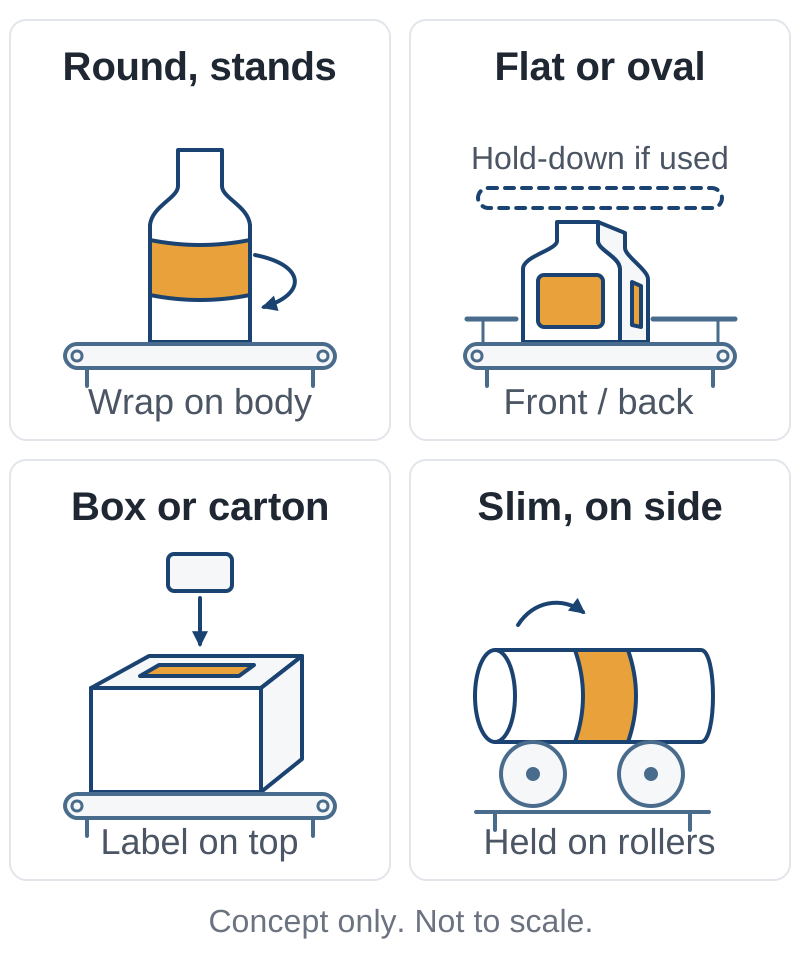
Container shape and label location are separate inputs. One supplier lists top-down, wrap-around, one-side flat-face, and two-sided front-and-back units as distinct configurations, with an optional wrap station on the two-sided unit. If your range includes both round and flat bottles, ask whether one configuration covers both or needs change parts or a second station.
Upright is not universal. The line-integration guide that asks for containers to arrive upright and centred describes a liquid filling line. Slim items that cannot stand are labeled on their side in a published horizontal configuration, and a front-and-back design for flat bottles adds a top conveyor to hold them. Treat hold-downs, guides, and rollers as options to discuss, not requirements.
Surface matters within each row. A supplier’s selection list asks whether the surface is flat, concave, convex, textured, or slick, and which label material is used: paper, film, or foil. Record these on the worksheet below. If cartons reach the head on a case conveyor, case conveyors explains the types and how cases are turned and diverted on the way.
Takeaway: Pick the matrix row for each format, then ask whether one configuration covers all of them.
What must the infeed and outfeed deliver?
The head can only place labels as consistently as containers arrive. A line-integration guide ties label placement to containers arriving at consistent speed, orientation, and height, and lists unsynchronized conveyor speed as a cause of misaligned or wrinkled labels. Define those arrival conditions, the transfers, and the stop behaviour before you compare machines.
Common mistake: Comparing heads before defining the handoff. Placement depends on arrival speed, orientation, and height, so the infeed and outfeed belong in the specification from the start.
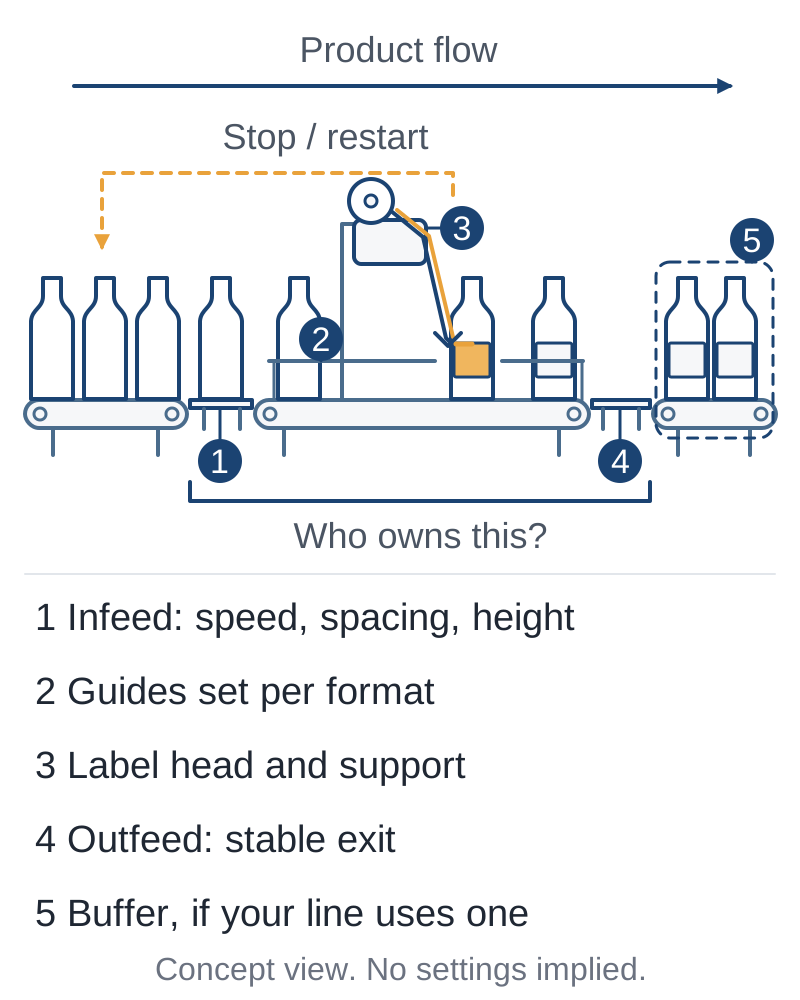
Transfers are where containers tip. The same guide names three transition points where containers tip and jam if they are set wrong for the container: dead plates, transfer sections, and guide rails. Worn or misset rails also let containers arrive off-centre, which moves the label. Ask who sets and adjusts the transfer into and out of the label station for each format.
Published integrated machines treat transport as part of the labeler. One tube labeler lists a split belt conveyor with product guides, inlet and outlet belts, and a photocell start and stop for timing, and qualifies its rates by package style, type, and size. That does not mean your station needs those parts. It means transport, guides, and timing are part of the configuration you are buying, and the offer should say which of them are included.
Every station has to keep up with the station feeding it. Short variations need somewhere to go, and stops need a defined response. The guide describes accumulation between stations and controls that pause upstream stations when one stops, while downstream stations keep running from accumulated containers. Agree how the label station fits that scheme: what it does when its outfeed backs up, and what it signals upstream when it stops. The accumulation conveyors page explains buffer methods, and packaging line layout covers spacing and transfers between stations.
Station worksheet
Leave a field blank rather than guess. A blank tells the supplier what they must confirm.
| Group | Field | Your value | Supplier confirms |
|---|---|---|---|
| Container | Sample ID and drawing revision | ___ | ___ |
| Container | Shape, size range, material | ___ | ___ |
| Container | Filled or empty when labeled | ___ | ___ |
| Container | Arrival posture (upright, on its side, which face leads) | ___ | ___ |
| Container | Stability concern (tall, light, narrow base) | ___ | ___ |
| Container | Target face and label position drawing, with tolerance | ___ | ___ |
| Label | Stock ID; width, length, shape | ___ | ___ |
| Label | Material (paper, film, foil, other) | ___ | ___ |
| Label | Roll details the supplier needs | ___ | ___ |
| Infeed and outfeed | Upstream and downstream stations | ___ | ___ |
| Infeed and outfeed | Transfer type and height, from your layout | ___ | ___ |
| Infeed and outfeed | Who supports and orients the container on arrival | ___ | ___ |
| Infeed and outfeed | Who feeds the station: operator or conveyor | ___ | ___ |
| Infeed and outfeed | Arrival rate and required labeling rate, in the same unit | ___ | ___ |
| Infeed and outfeed | Accumulation before and after the station | ___ | ___ |
| Infeed and outfeed | Response when the label station or a neighbour stops | ___ | ___ |
| Scope | Who supplies handling, guides, and mounting | ___ | ___ |
| Scope | Who supplies controls documentation and the line interface | ___ | ___ |
| Scope | Inspection and removal of mislabeled product: included or not | ___ | ___ |
| Scope | Who records evidence during the sample review | ___ | ___ |
The packaging line layout guide has a floor-plan worksheet where transfer positions and service access are drawn to one scale. If the conveyor family itself is still open, start with the packaging conveyor systems overview.
Takeaway: Fill in the worksheet with your own values and leave the supplier column for them to confirm.
How do you check fit with your own samples?
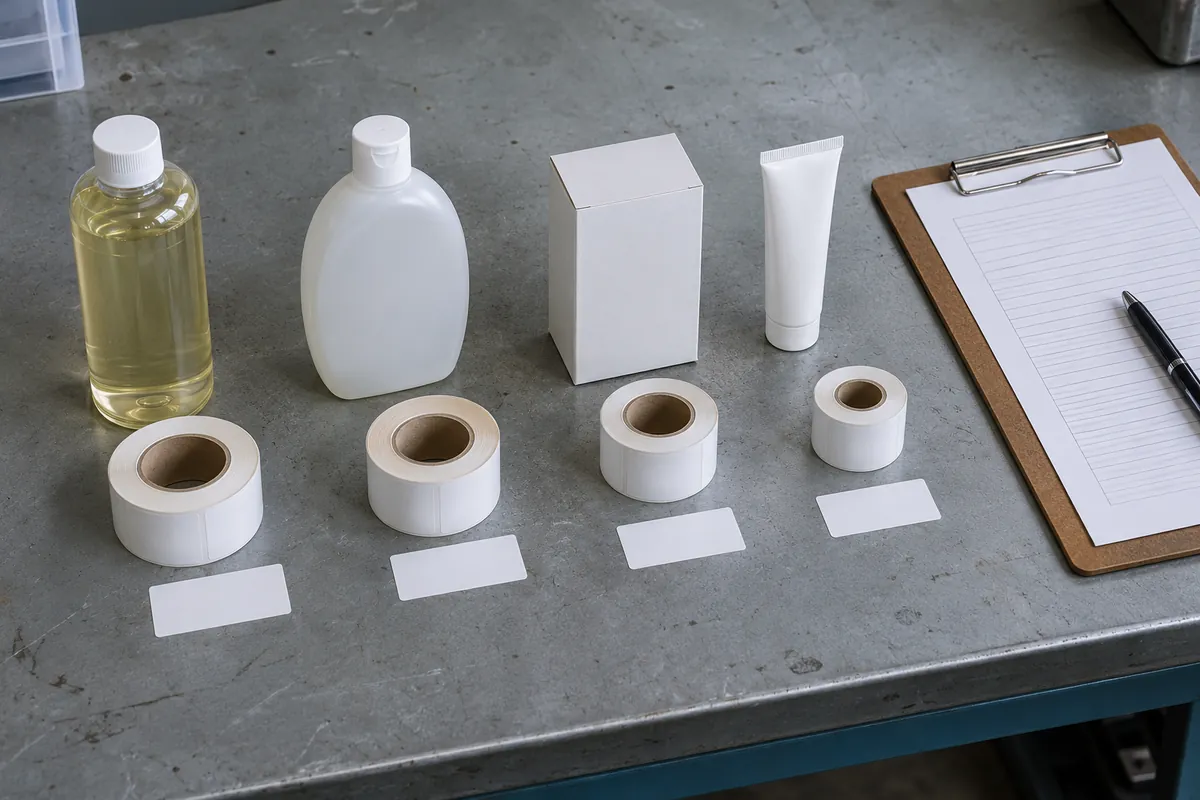
Ask the supplier to run your real containers and label stock on the configuration they propose, and record what happens against limits both sides agree in writing beforehand. Until that happens, the limits and results stay blank.
One tube-labeler page invites buyers to send product samples, and that is the evidence to ask for. Placement accuracy is one of the published selection inputs, so the tolerance has to come from your label position drawing. This page cannot tell you what a pass looks like for your product.
Common mistake: Reviewing empty containers when production labels filled ones. The integration guide asks for consistent container weight and shape so that speed settings hold; run the samples in the condition you will produce.
Sample-review record
| Item | Record |
|---|---|
| Container samples: IDs, drawing revisions, filled or empty | ___ |
| Label samples: stock IDs, revisions | ___ |
| Configuration and options, as identified by the supplier | ___ |
| Date, place, and people present | ___ |
| Operating conditions stated by the supplier | ___ |
| Agreed limits for placement, appearance, and adhesion, written before the run | ___ |
| Quantity run, and duration if measured | ___ |
| Infeed and outfeed behaviour observed | ___ |
| Operator interventions and the reason for each | ___ |
| Changeover between formats, if observed | ___ |
| Defects: type, count, cause given | ___ |
| Evidence: photo and video references | ___ |
| Result against the agreed limits: pending, pass, or fail | ___ |
| Actions, owner, and follow-up evidence | ___ |
Vision inspection and automatic rejection appear in one manufacturer’s list as options added as required, not as standard equipment. If your process needs mislabeled product removed, write down who supplies that function and record how a rejected unit leaves the line. Factory acceptance, site acceptance, and handover documents are covered in packaging line commissioning.
Takeaway: Agree the limits in writing before the run, and accept the configuration only against them.
Common line-fit mistakes
Three more fit problems start before anyone runs a sample.
- Sending one sample for a multi-format line. Round and flat containers can need different configurations, change parts, or a second station, so send every format you plan to run.
- Assuming inspection, reject, guarding, or controls integration are included. Ask for each as a separate line; the conveyor cost guide shows how controls and commissioning fall out of quotes that are not itemized.
- Treating the fit matrix as a compatibility list. It narrows the discussion, and only your samples on the proposed configuration settle it.
Takeaway: Ask for every function you need as its own line, and send every format you plan to run.
When this does not apply
This guide covers apply-only machines that place preprinted pressure-sensitive labels. Print-and-apply, shrink sleeves, glue labeling, and RFID or EAS tag application are different processes; an industry directory lists them under the same labeling category, but nothing here implies a pressure-sensitive applicator can perform them. Label content and regulatory rules are also outside this page.
The fit matrix, worksheet, and sample-review record are editorial tools compiled from published descriptions. They are not a list of compatible machines, a standard test protocol, or a certification, and a completed record is evidence for your own decision. Every project value, from rate and placement tolerance to transfer height and stop response, has to come from your line and be confirmed by the supplier on your samples.
Takeaway: Use this page to frame the supplier discussion; settle fit only with your own samples on the proposed configuration.
What to take to your supplier
Read the related packaging line guides and take the sample and input checklist to your actual supplier. Bring:
- The completed station worksheet, with blanks left blank.
- The row of the fit matrix that matches each container format.
- Label position drawings with the tolerance you need.
- Real containers and label stock for every format, in the condition you will run them.
- A blank sample-review record for the supplier to complete with you.
For the wider project, packaging line integration covers how stations, controls, and responsibilities are tied together across the line.
Takeaway: Bring inputs and samples, not a machine shortlist, to the first supplier meeting.
Method and sources
Compiled October 11, 2026 from public label-equipment supplier and manufacturer pages, a filling-line integration guide, and an industry directory, accessed October 6 to 11, 2026 and listed under References. Configuration examples are attributed to their publishers and are not tested claims. The tables are editorial templates with blank values; no machine or sample run has been tested for this page. The FAQ adapts questions from two US search-results snapshots: People Also Ask questions captured October 5, 2026, and related searches captured October 11, 2026. The diagrams are explanatory illustrations, not equipment drawings.