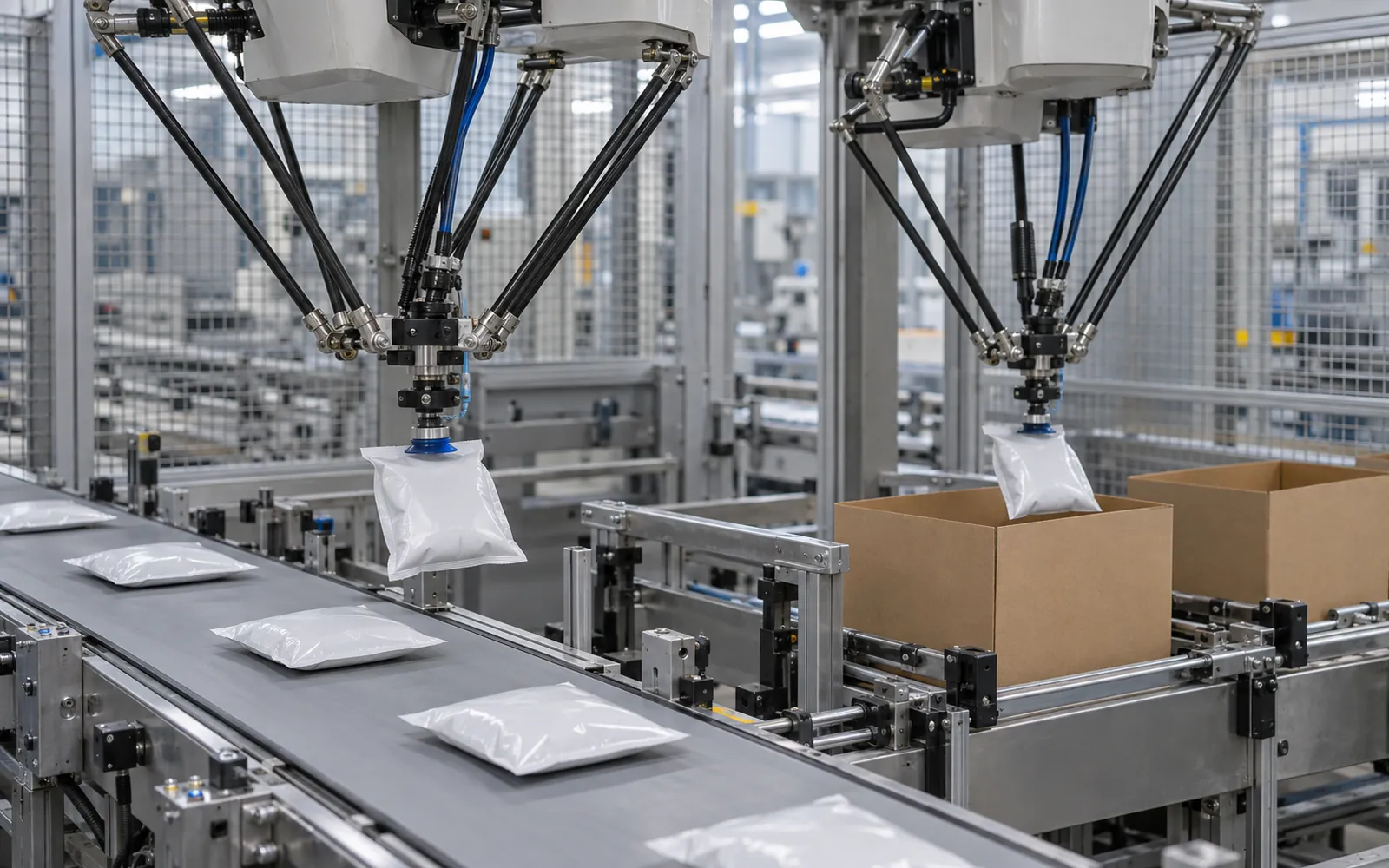
Mismatched tooling, vision, or case supply can erase a robot’s cycle-time advantage. Start with robotic pick-and-place for difficult handling or frequent pattern changes, and compare a mechanical packer for stable formats using the same production samples and sustained-output test.
| Signal | Points toward a robotic pick-and-place cell | Points toward a mechanical case packer |
|---|---|---|
| Product shape | Flexible bags, pouches, flow-wrapped packs, irregular items | Uniform rigid containers that guide easily in lanes |
| How products arrive | Loose, randomly oriented, or unevenly spaced | Already lined up in a steady, controlled stream |
| Pack patterns and counts | Many patterns, nested or flipped layouts, frequent new formats | A few fixed formats that rarely change |
| Changeover frequency | Several changes per week or per shift | Long runs of the same format |
| Product handling | Fragile items that should be placed rather than dropped | Products that tolerate dropping or pushing into the case |
| Rate | Moderate rates, or rates reached by adding robots along the belt | The highest rates on one uniform product |
The case packer comparison covers the mechanical routes; both belong to end-of-line packaging. This comparison uses public supplier descriptions and proposed acceptance checks, not site test results.
How it works
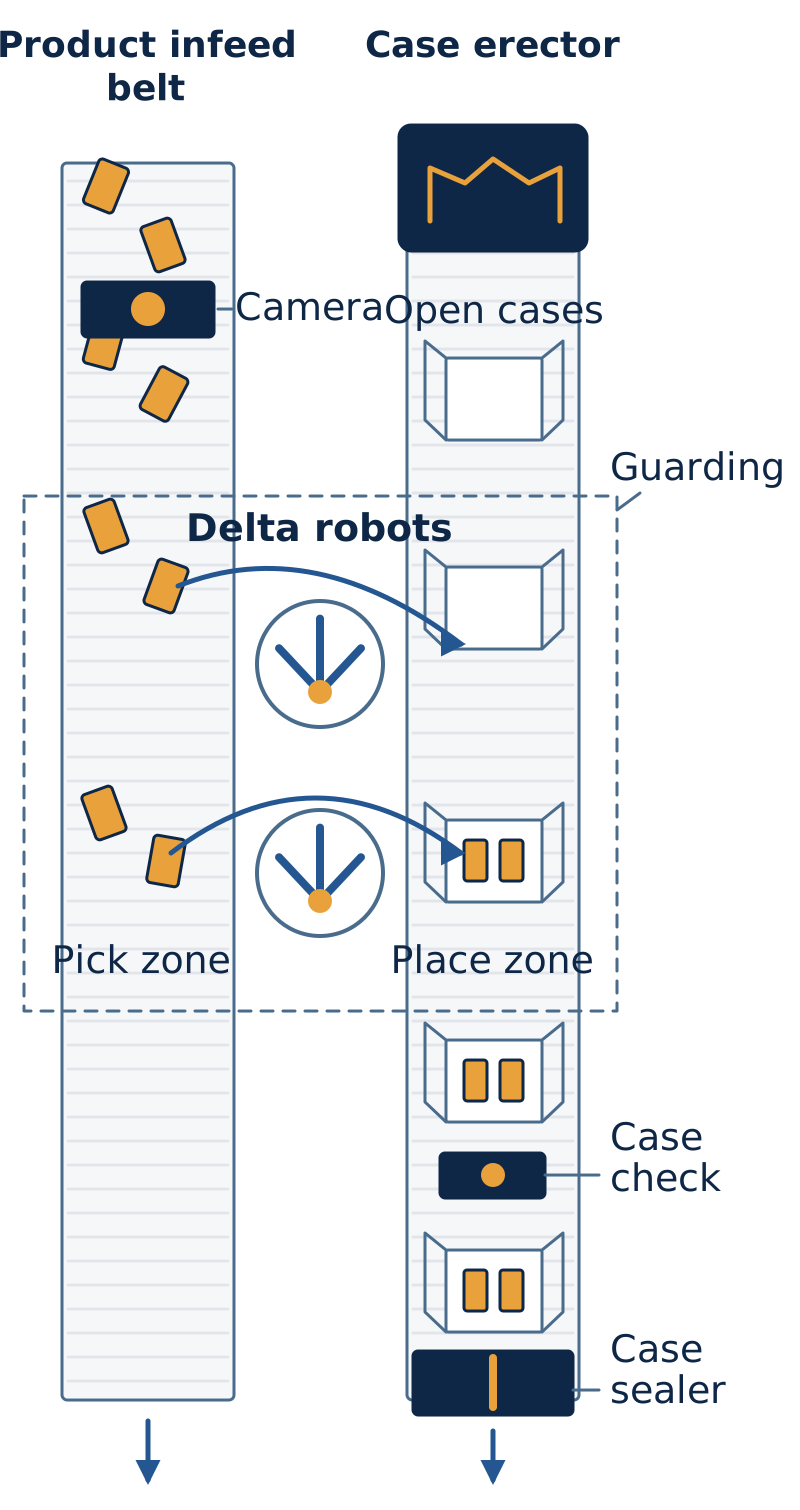
Supplier descriptions of complete cells follow the same order: products arrive randomly on an infeed belt, a vision system identifies them, a flat case is drawn from a magazine, erected, and bottom sealed, a delta robot places products in the configured pattern, and the case is sealed and exits.
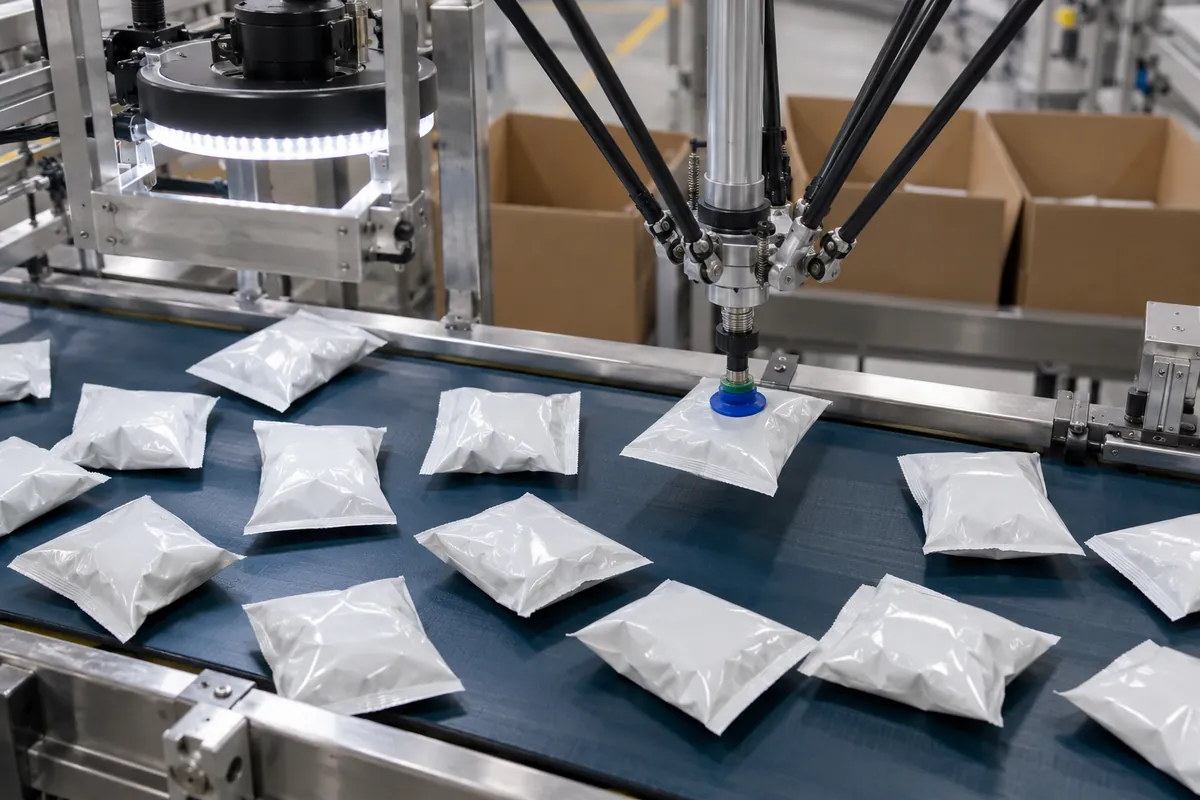
Products come from the upstream process on a belt, and in many cells they arrive loose and randomly oriented, which is why robotic packing is popular for pouches and bags. Spacing and belt speed still matter. If products overlap or pile up, the robot or camera cannot separate them cleanly, so a short singulating or spreading section often sits before the pick zone.
A camera over the belt locates each item and reports its position, orientation, and sometimes size. Supplier literature describes vision systems that identify position, orientation, and movement while the product is traveling, with the robot tracking the conveyor so it can pick without stopping the line. The robot controller converts that information into pick coordinates.
The robot then moves its end-of-arm tool to the product and grips it by vacuum, by mechanical fingers, or by both. Delta robots can pick several items in one cycle if the tool has more than one gripping point. It sets each item in the case at the position the pattern requires. Patterns can include layers, rows, nested layouts, or flipped items, and each is stored as a recipe. On some cells the same robot places dividers or layer sheets between layers, using a separate gripper.
The case itself must be formed, held, and indexed under the robot. Some cells include a built-in case erector and a closing section, while others expect formed cases to arrive on a conveyor from a separate case erector. After loading, the case moves on to a case sealer.
Is a pick-and-place case packer right for your line?
Use the opening signal table to shortlist a route. Where signals split, compare both designs on the same product list, pattern set, case supply, and sustained rate.
Confirm tooling and case availability before treating recipe changes as production flexibility.
The opening signal table is the first route check.
The table is a starting point, not a verdict. A line with uniform rigid containers can still justify a robot if patterns change often, and a flexible pack can still run on a mechanical machine if it arrives oriented. Where the signals split, ask both kinds of supplier to quote the same product list, the same pattern set, and the same sustained rate, and compare the changeover method, not only the price.
Where delta robots fit in pick-and-place packing
Delta cells pick within an overhead work zone. Check reach, depth into the case, product weight with the tool, and how multiple robots share the flow; robot categories are compared below.
How tooling and vision decide changeover
On a robotic cell, a format change can be anything from selecting a recipe to rebuilding the tool. Ask each supplier to place every planned change in one of these tiers, because the tier, not the robot, decides how long the line stops.
| Trial / change | Production sample and setup | Acceptance record / owner |
|---|---|---|
| Pattern/count, same product and case | Each planned recipe and actual case: ___ | Correct count/placement, last-good to stable-next-good time: ___ |
| New product / vision model | Dark, shiny, transparent, or overlapping samples as relevant: ___ | Recognized/rejected count; reject route; evidence link: ___ |
| Grip suitability | Worst surface/weight samples; tool and motion recipe: ___ | Slips, drops, damage, and placement; agreed limits: ___ |
| Tool exchange | Tool IDs and named operator or changer: ___ | Correct tool confirmation, safe exchange, elapsed time: ___ |
| Case-size switch | Old/new case lots, erector and guide settings: ___ | Matching case at load point; restart/output window: ___ |
The tool usually sets the physical limit on flexibility, and vision sets the limit on which products can be found reliably on the belt. Both are explained in more detail in the sections on vision and end-of-arm tooling below.
Types and configurations
Robot type is the first design decision. The choices differ mainly in speed, reach, payload, and floor or overhead space.
Delta robots
A delta robot, often called a spider robot, hangs from a frame above the conveyor. Its lightweight parallel arms move quickly across a limited work area, so it is the usual choice for small to moderate payloads at high pick rates, and is widely used for bags, pouches, cartons, trays, and clamshells. Supplier literature notes that the overhead mounting keeps the floor footprint small. The tradeoff is reach and payload: a delta robot covers a fairly compact zone and cannot carry heavy items. Throughput usually rises by adding robots along the belt, and cells with two delta robots working in tandem are common.
SCARA robots
A SCARA arm moves in a horizontal plane with a short vertical stroke. It suits light products packed into a case from above when the placement is mostly flat and the work area is modest. SCARA arms are less common than delta robots in case packing. They are often chosen for small primary-pack formats such as small cartons or sachets going into small shippers. Check the reach, the vertical stroke needed to place into a deep case, and the payload with the tool attached.
Articulated robots
A six-axis articulated robot has the widest range of motion. It can reach into a case at an angle, rotate the product, pick from one side of a cell and place on another, and use several tools if it has a tool changer. One integrator describes a compact cell in which a single six-axis robot picks a part, an insert, and a plastic clamshell in one cycle, assembles them, and packs the result into a case. The fully articulated arm is slower than a delta robot on light, repetitive picks, but it gives more flexibility on heavier or more varied products.
Gantry robots
A gantry moves along linear axes over a rectangular work area. It can carry heavier payloads and reach a larger envelope than a delta robot, and it can move a group of products or an entire layer at once. Gantries suit larger packs, higher payloads, or layer-style packing into large cases. They need overhead structure and usually a bigger footprint.
Cobots
A collaborative robot is designed for use where people share the workspace, with features such as power and force limiting, force sensing in the joints, and padded or rounded surfaces. In case packing, cobots appear in lower-rate or lower-payload cells and where operators and the robot share a station. Their speed and payload are generally lower than those of conventional industrial robots, and speed is often limited further to keep contact forces within permitted values. “Collaborative” describes the arm, not the application: a cell is collaborative only if the whole system, including the gripper, product, speed, and layout, has been assessed that way. See the safety section below.
Comparing robot types
| Type | Typical fit | Main strengths | Main limits |
|---|---|---|---|
| Delta | Light, flexible packs at high pick rates | Speed, small footprint, easy conveyor tracking | Small work area, light payload |
| SCARA | Small, light products placed from above | Compact, simple motion, good repeatability | Limited reach, shallow motions, less common here |
| Articulated | Varied products, heavier items, multi-step tasks | Flexible reach, orientation changes, tool changers | Slower on simple light picks, larger guarded zone |
| Gantry | Heavy items, groups, or layers | Payload, large work area, simple kinematics | Overhead structure, bigger footprint |
| Cobot | Lower rates, shared stations | Close working, easier redeployment | Lower speed and payload, safety depends on the whole cell |
Vision and pick strategies
Vision turns a belt of unordered products into pick instructions, and how it is done shapes the whole cell.
If products arrive in a controlled, repeatable position, such as upright containers in guided lanes, a robot can pick from a known point with simple presence sensors. That is cheaper, but it puts demands on the upstream conveyor. For pouches, bags, and irregular products, the main strategy is vision-guided picking on a moving belt: the camera reports location and orientation for each item, and the robot picks on the fly using conveyor tracking. Lighting, background color, and surface finish affect how reliably an item is found, so test with the real packs and real belt, including shiny film and dark or transparent items.
The controller also decides which product to pick first, often the one furthest downstream, and how to split work between robots. With two or more robots, the cell shares picks so one robot is not starved while another is overloaded. Ask how the system balances the load and what it does when the belt is sparse. Vision can also reject misshapen or missing products and let them pass the cell, so confirm what happens to products it cannot pick or does not recognize.
Some cells verify the case contents with a second camera or sensor before releasing the case. That catches missing items and gives a place to stop a short case before it is sealed.
End-of-arm tooling
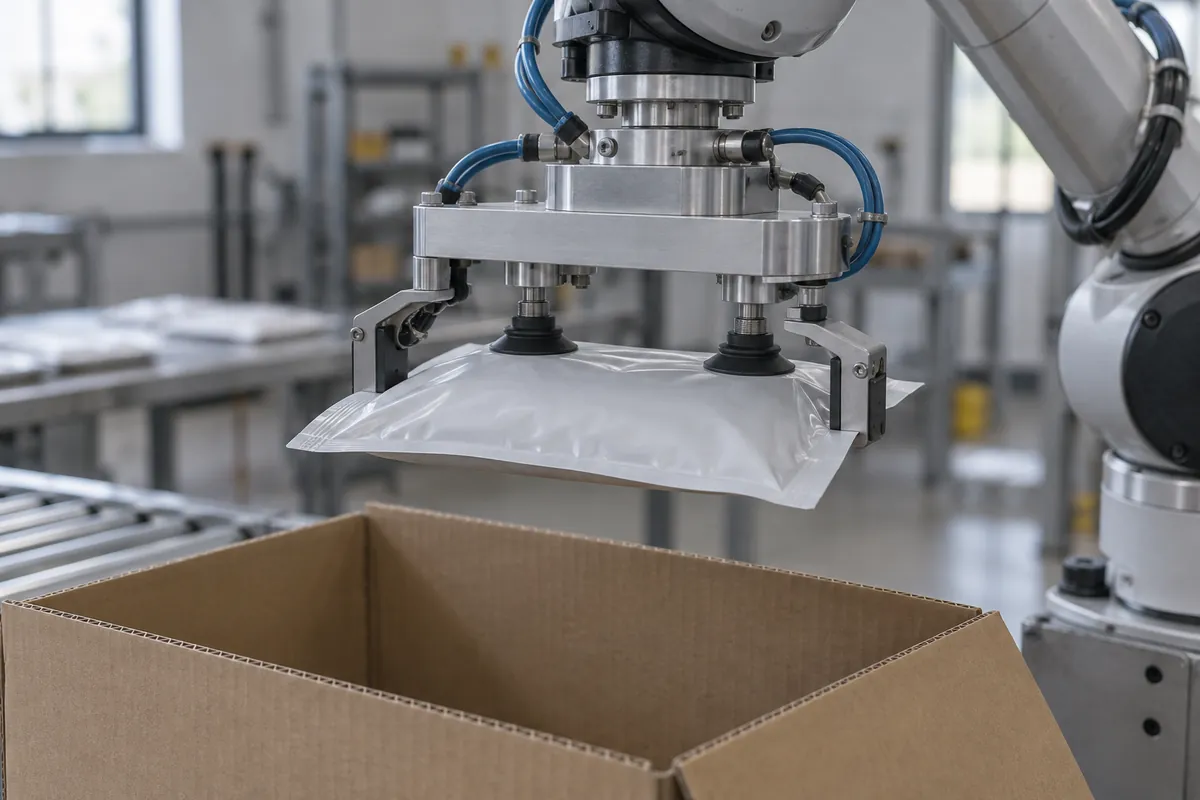
The tool decides what a robot can pack. Three gripping styles are common.
- Vacuum cups grip smooth, relatively flat top surfaces and work on many bags, cartons, and trays. Porous, wrinkled, dusty, or oily surfaces can cause leaks, and the cups need to match the product’s shape and fragility.
- Mechanical fingers or clamps hold the product by its edges or sides. They suit products with uneven tops, soft packs that would deform under vacuum, or rigid containers.
- Some suppliers fit both on one tool, using vacuum to lift and fingers to control position, a common way to handle flexible or irregular packs.
Tools may need to pick several products at once, handle layer sheets or dividers, or switch between product families. A tool changer or multi-function tool avoids stopping the line for a hand swap. In the integrator example above, a single tool carried suction cups for an insert, a clamp for the part, and a second group of suction cups for the clamshell. Prove tooling for each changeover family with samples before purchase, because the gripper is the part that most often needs rework after commissioning.
Mixed-SKU packing
Robotic cells are often chosen because they handle variety. Supplier materials describe programmable systems that cope with variable case counts, mixed SKUs, and frequent changeovers without redesigning the cell each time. Four things have to work together.
- Recipe changeover: the operator, or a signal from upstream, selects the product recipe, and the controller changes the pick parameters, vision model, speed, and placement pattern.
- Tool compatibility: the same tool must work across the products in the mix, or a changer must swap it. This is the physical limit to flexibility.
- Case supply: different products often need different case sizes, so the erector may need several magazines, random sizing, or a stop for a size change. A robot cannot pack fast if its cases arrive late.
- Identification: the cell has to know what it is seeing, by vision, a barcode scan, a signal from the upstream line, or a sequence defined in the schedule.
When products from different lines go into the same case, such as a variety pack, a cell can pick from two or more infeeds and place in a mixed pattern. Plan the infeed sequencing carefully, because a shortage of one product stops the whole case.
Specifications to evaluate
Ask each supplier how each specification was measured, on which product, and in which pack pattern. Published rates generally depend on package style, type, and size, so a number for one product says little about another.
| Specification | Why it matters | What to ask the supplier |
|---|---|---|
| Product range and weight | Sets the robot type, tool, and speed | Which products, weights, and shapes were tested, and what is the heaviest item the tool must hold in motion? |
| Pick rate and number of robots | Determines cases or packs per minute | Is the rate per robot or per cell, and which pattern and product were used for the rating? |
| Case size range and pack patterns | Defines the changeover scope | Which cases and patterns are in the standard recipe set, and what does adding one cost? |
| Vision approach | Decides which products can be picked reliably | What lighting, background, and product conditions does the system need, and how does it handle a failed detection? |
| Tooling | Often the limit on flexibility | Is the tool dedicated or multi-function, who designs it, and how are tool changes done? |
| Case handling | Case position affects every place cycle | How is the case held and indexed, and how are warped or out-of-square cases handled? |
| Changeover time and method | Affects real uptime on mixed lines | What is adjusted by recipe and what by hand, and who does it? |
| Safeguarding | Determines layout and operator access | What guarding, interlocks, and access doors are included, and what standard was the design assessed against? |
| Controls and data | Affects integration and diagnostics | Which PLC and robot controller are used, and how does the cell communicate with the line? |
| Hygiene and construction | Matters for food and wet areas | Which parts are washdown rated, and what can be cleaned in place? |
Package compatibility
Robots are generally a good fit for products that are difficult to guide mechanically: flexible bags and pouches, stand-up pouches, flow-wrapped packs, bundles, trays, clamshells, cartons, and irregular items. Rigid containers such as jars, cans, cups, and bottles can also be packed by robot, especially when the pattern changes or the product arrives unsorted. Very fragile, sticky, or wet products may need special tooling or gentler handling.
Check the product’s surface and weight in motion, since a pack that is fine in the hand may slip under acceleration. Check the case too. Open flaps, warped cases, and incomplete bottom seals can shift the case under the robot and cause misplaced packs. Crushed or out-of-square cases disturb vision-guided placement as much as they disturb a mechanical machine. The case erector guide explains how case quality affects forming.
Integration upstream and downstream
Upstream, the cell depends on a controlled flow of products, which may come directly from a flow wrapper, a pouch machine, or a filler. A buffer is often needed to absorb stops. Compare the rate of the primary equipment with the rate the cell can accept, and place accumulation where it protects the robot from starvation. The accumulation conveyors guide describes buffering, and the packaging line layout guide covers how to arrange the conveyors and cell.
Cases need their own supply. Some cells include an erector, and others expect formed cases on a conveyor. Either way, check the case flow when sizes change.
Downstream, the loaded case usually goes to a case sealer, a checkweigher, a labeler, and then the palletizer. When a case leaves the cell with a short count, the checkweigher or the placement check should stop it, and the line controls should track that so a rejected case does not continue to the sealer. Cases then travel on case conveyors to palletizing. For the palletizing step, compare approaches in robotic vs. conventional palletizer, because many plants use a robot at both ends of the line.
Footprint, utilities, controls, and safety
A delta cell is often compact, since the robot hangs over the belt. Gantries and articulated cells need more floor and guarding space. Count the full footprint, including the erector, the sealer, the case infeed, guard doors, and room for operators and maintenance. Supplier footprint figures typically assume a specific number of robots and a specific pattern, so ask for a layout drawing.
Expect electrical power, compressed air for vacuum generation and pneumatics, and a network connection for the PLC and robot controller. Vacuum cups need clean air, and washdown cells need appropriate sealing and drainage. Ask for the air consumption and the size of the electrical disconnect.
The cell usually combines a PLC for machine functions, a robot controller for motion, and a vision processor. Ask who is responsible for the program, how recipes are stored, whether the controller communicates with plant systems, and how remote support works.
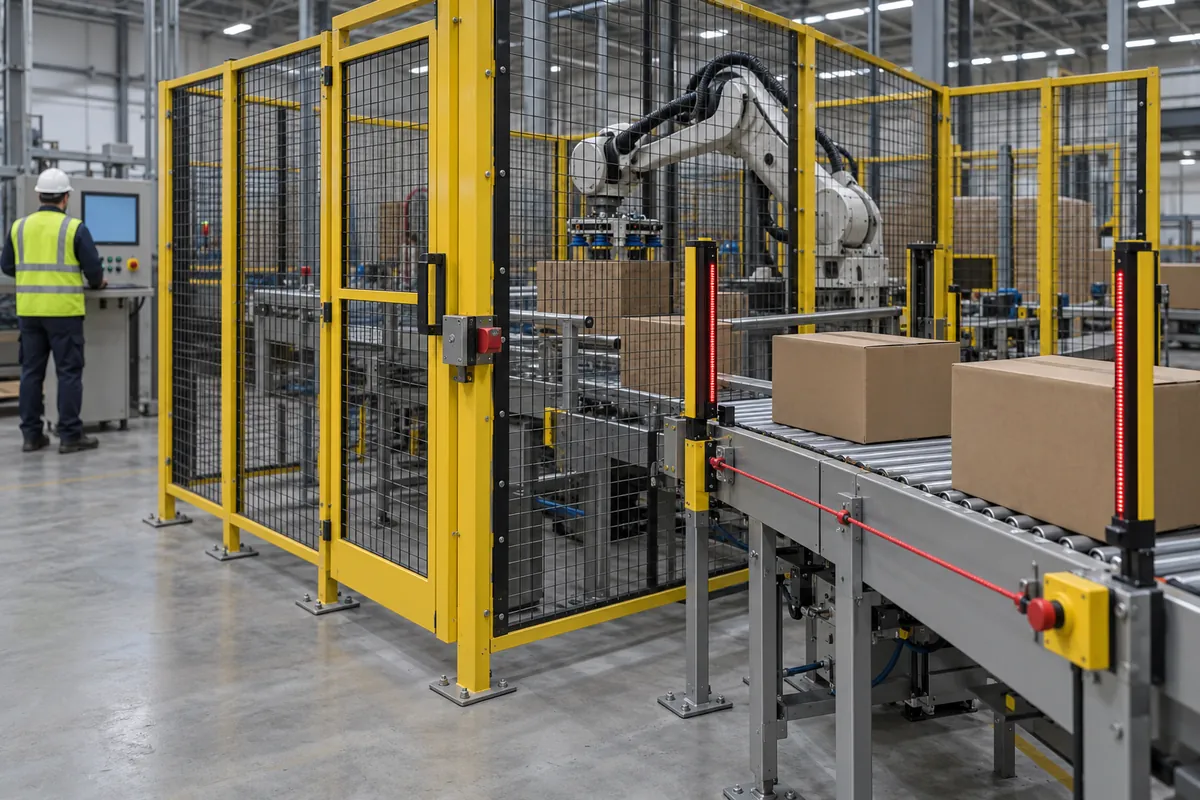
A robotic cell shares hazards with mechanical machines and adds some of its own. The arm and tool can strike, crush, or trap a person within the reach envelope, and fast delta motion is hard to see coming. Case indexers, magazines, conveyors, and the tool itself have pinch and shear points. A heavy product or a tool with sharp edges changes the risk, even on a small robot. Pneumatic and vacuum systems can move parts when pressurized. Clearing a jam or adjusting a tool puts people closest to the hazards, and these are the tasks most likely to tempt someone to bypass a guard.
Common safeguarding arrangements include perimeter guards, interlocked access, and presence-sensing devices. Select and validate them for the complete application rather than from the arm’s “collaborative” label.
Public standard-organization pages reviewed October 8, 2026:
| Document / edition | Public scope summary |
|---|---|
| ISO 10218-1:2025 | Safety requirements for the industrial robot itself, before cell integration |
| ISO 10218-2:2025 | Industrial robot applications and cells, including integration and lifecycle activities |
| ANSI/A3 R15.06-2025 | A3’s announcement describes the revised U.S. industrial-robot safety standard and collaborative application emphasis |
| ISO/TS 15066:2016 | Collaborative industrial robot systems and work environment; supplements ISO 10218 guidance |
A3’s November 12, 2019 explanation describes the historical four approaches: safety monitored stop, hand guiding, speed and separation monitoring, and power and force limiting. It is background terminology, not proof that a new project satisfies its adopted edition. Name the standard editions in the design specification and document application risk assessment and validation. These public summaries do not replace the standards’ full requirements or establish fence-free operation.
Servicing and maintenance are covered by the OSHA lockout/tagout rule at 29 CFR 1910.147, which requires energy-control procedures when employees service machines where unexpected energization or release of stored energy could cause injury. Include the robot, the pneumatics, the vacuum, and any stored energy on the lockout procedure. Because the right safeguarding depends on the site, the product, and the task, carry out a documented risk assessment before the cell design is frozen.
Cost factors
Prices are not given here, because totals depend on scope and supplier. The main drivers:
- Robot count and type: more robots raise the rate and the price, and gantries and larger articulated robots cost more than small delta units.
- Tooling: custom tools for each product family add engineering and trial time, and extra tools or changers add cost.
- Vision and software: cameras, lighting, and programming effort for each product.
- Case handling: whether the cell includes a case erector, bottom sealing, and closing.
- Guarding and safety devices: fencing, interlocks, scanners, and the risk assessment itself.
- Integration: infeed and outfeed conveyors, accumulation, controls, and communication with the line.
- Sanitary construction: stainless frames and washdown parts raise cost.
- Installation, training, remote support, and spare parts.
Labor savings are only part of the case. Also count product damage, rework, packing errors, and the flexibility to take on more SKUs. Some suppliers offer managed or subscription arrangements, so compare total cost of ownership, not just the quoted price. For comparison of the ownership picture on adjacent equipment, see the packaging conveyor cost guide.
Selection checklist
- List every product to be packed, with weight, shape, surface, and how it arrives. Include products that might be added.
- Define the case sizes and pack patterns for each product, plus any mixed packs.
- Set the required rate in cases and packs per minute, including peaks, and the upstream rate.
- Decide whether vision is needed, and test the real packs under realistic light on the real belt.
- Choose the robot type from payload, reach, and rate, and check the working envelope against the pack pattern.
- Review the tool design, including vacuum levels, fingers, and changers, and have samples run.
- Confirm the case supply approach: built-in erector, separate erector, or random sizes.
- Plan the changeover: what changes by recipe, what changes by hand, and how long each takes in practice.
- Define guarding, interlocks, and operator access for jams and changeovers.
- Run a site risk assessment against the applicable standards and include lockout/tagout procedures.
- Plan downstream: sealing, checkweighing, labeling, and palletizing.
- Ask for a factory acceptance test with the plant’s own products and cases.
Common mistakes
- Buying on a headline rate, when a rate quoted for one product and pattern does not carry over to others.
- Ignoring the tool. The gripper, not the robot, often decides whether a product can be packed.
- Testing with hand-picked packs and perfect cases, which hide the real problems. Use production samples.
- Starving the robot. Without a buffer or consistent infeed, a fast robot waits for product.
- Forgetting the case. Case supply, warp, and flap condition decide placement success.
- Assuming a cobot needs no guarding. The risk assessment of the application and tool decides.
- Leaving changeover vague. A cell that is flexible on paper may rely on manual tool swaps.
- Overlooking maintenance access, since vacuum filters, cups, and camera lenses need regular cleaning and replacement.
- Skipping lockout planning. Stored energy in air and vacuum lines is easy to miss.
Alternatives
Alternatives depend on the product and the rate.
Drop, side-load, and wraparound machines use fixed tooling and tend to suit high-rate, uniform packs of rigid containers. The case packers guide describes them, and they are often the better answer for a few high-volume formats. Where the pack is a tray or a wraparound case, a dedicated tray or wraparound machine may be simpler than a robot. For low volume or many changes, a manual pack station with a case erector upstream and a case sealer downstream can be the practical choice. A semi-automatic cell can have a cobot handle part of the pack while people do the rest, where the safety assessment allows. Some products can also be grouped and loaded as part of the primary packaging equipment.
The end-of-line packaging automation, food packaging, and case handling pages show where robotic case packing typically sits in a line.