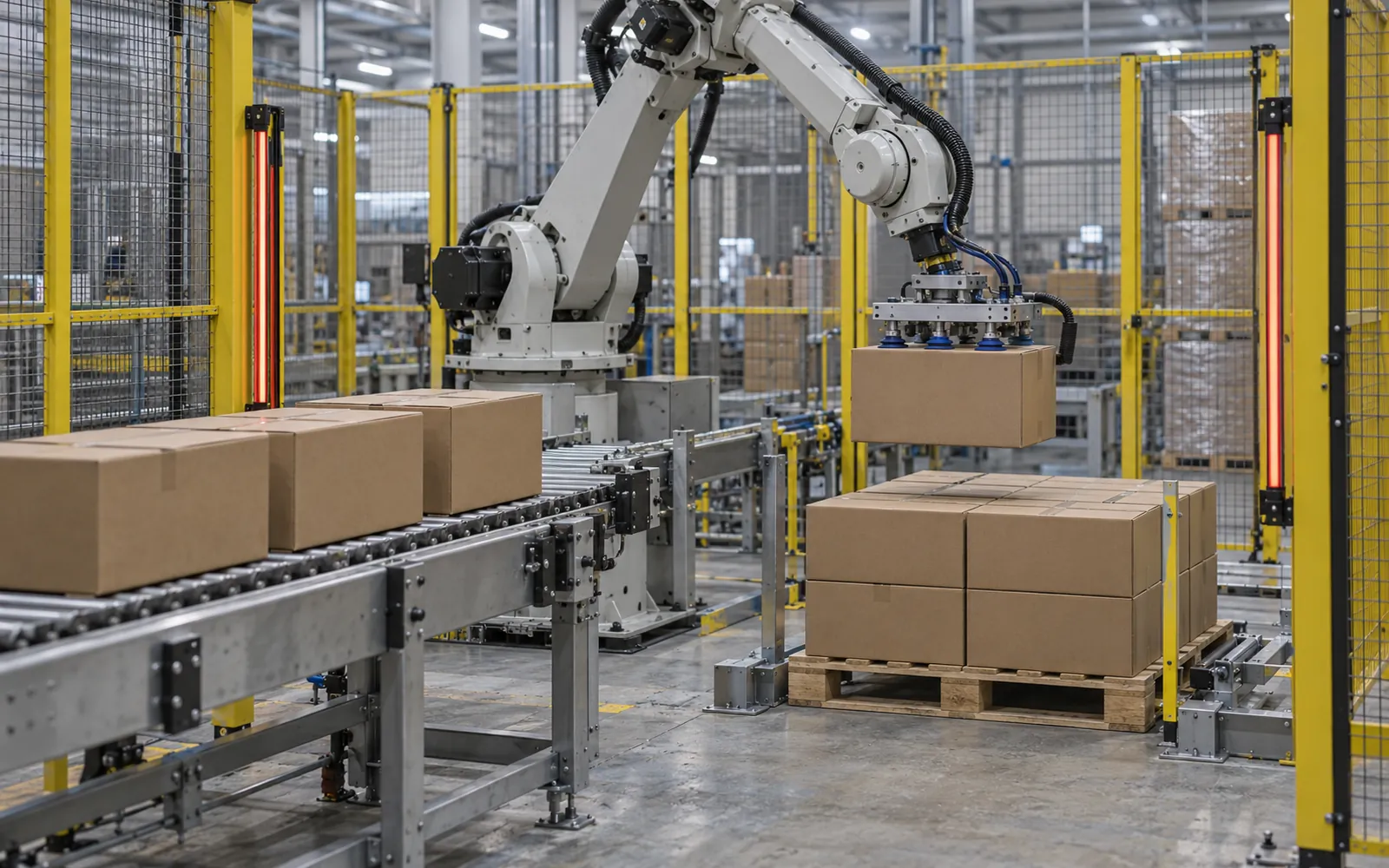
A robotic palletizer places packages on pallets with an articulated robot arm instead of a dedicated layer-forming machine. The arm carries a tool that grips cases, bags, trays, or whole layers, and a controller places each package according to a stored pattern. The approach is worth evaluating where packages, pallets and patterns change often. Floor-space fit needs a comparison of complete cell layouts. For the wider range of system types, see the palletizing systems overview.
| First check | Evidence needed | Go / revise decision |
|---|---|---|
| Payload including tooling | Heaviest pick plus tool and carried sheets | Within the proposed robot’s load limits |
| Center of gravity | Loaded tool offset and load diagram | Confirm permitted mass and inertia |
| Reach | Farthest pick and pallet corner | Every position reachable on the cell layout |
| Vertical travel | First layer, tallest load and approach clearance | Validate the full trajectory |
Takeaway: Require a hardest-SKU trial with the actual tool and safeguarding before accepting the detailed specifications. FANUC America’s public selection guidance includes product, tool and dress-out weight, reach and cycle duty (accessed October 8, 2026; References).
How it works
A robotic cell is a short sequence of machines arranged around the arm.
For a current collaborative-cell announcement, the CRX-30iA integration review separates robot specifications from case-flow, pallet-exchange and relocation commitments.
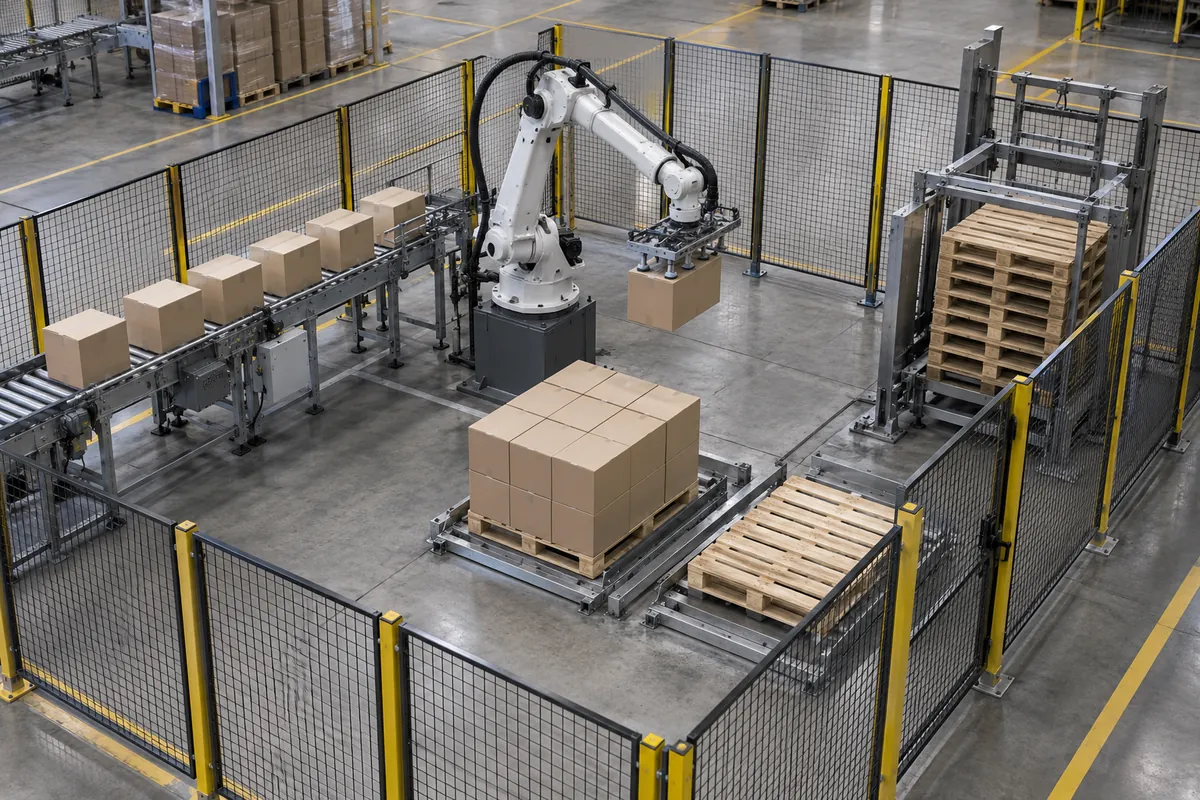
Packages arrive on an infeed conveyor and stop at a pickup position, often against a stop or sensor so the position is repeatable. The arm moves to the pickup point, the end-of-arm tool engages the package, and the arm carries it to the pallet position, where it lowers and releases. The controller holds the pattern as coordinates for each place, usually as a recipe the operator selects from a screen. Between loads, a pallet dispenser delivers an empty pallet to the build position, and the finished load leaves on a discharge conveyor, often toward a stretch wrapper.
Four parts of the cell set its performance. The first is the robot. Most palletizing robots are articulated arms, which give flexible reach and orientation; Cartesian gantries and SCARA types also exist and come up in the alternatives section. The rated payload must cover the package or layer plus the tool, and the tool is often heavier than expected because it includes frames, vacuum components, and clamps. Reach must cover the farthest position on the tallest pallet, with margin.
The end-of-arm tool is the part that touches the product, and it often decides how well the cell works. Tool types are covered below.
The infeed matters just as much. Conveyors need to present cases at a consistent position and orientation, because gaps, uneven spacing, and tipped packages are common causes of lost rate.
Finally, the pallet area decides how steadily the arm stays busy. That means the pallet positions, the pallet dispenser, the slip sheet or tier sheet source, and the discharge path. If the arm has to fetch empty pallets or sheets itself, it spends cycles on that instead of building the load, so separate dispensers let it keep building; see the pallet dispenser and slip sheet inserter specification guide for magazine clamping tolerances and PLC exchange timing.
Choosing the robot arm: axes, payload, and reach
Three arm parameters decide whether a robotic arm palletizer can do the job at all, before any question of rate. Each is a general engineering property, so compare them on the same basis across quotes rather than from brochure headlines.
Axis count
Articulated palletizing robots usually have four or six axes. On a four-axis articulated robot, three axes sit in the base, lower arm, and upper arm, and the fourth is in the wrist and rolls the tool. A six-axis robot adds wrist pitch and yaw, so it can tilt the tool and reach around obstacles. Four-axis robots are often used for palletizing and depalletizing because most palletizing motions do not need the extra axes. A six-axis arm makes sense when the tool must tilt, when the cell combines palletizing with other tasks, or when the layout forces awkward approach angles.
Payload
The payload that matters is everything hanging from the wrist: the heaviest pick, which may be several cases or a full layer, plus the tool, plus any slip sheet the tool carries. Robot payload ratings are usually published with a load diagram that ties the allowed weight to where the load’s center of gravity sits relative to the wrist, so a long or wide tool can reduce what the arm may carry. Ask each supplier for the robot’s payload chart checked against the actual tool and its center of gravity, not only the nameplate figure, and for the margin left at the heaviest pick.
Reach and vertical stroke
Reach has two dimensions. Horizontal reach must cover the farthest pallet corner on the largest pallet, and the farthest pick position on every infeed. Vertical stroke must cover the lowest place, the first layer on a pallet at floor level, and the highest place, the top layer of the tallest load plus clearance for the tool and package above it. A pedestal or base riser changes the vertical coverage, and a second pallet position or a second infeed moves the farthest point. Check reach against the layout drawing, not against a standard pallet alone.
| Arm parameter | What to define first | Common mistake |
|---|---|---|
| Axis count | Whether the tool must tilt, and whether the cell has tasks besides stacking | Paying for six axes on a cell that only stacks level packages, or choosing four when the tool must tilt |
| Payload | Heaviest pick, tool weight, sheets carried, and tool center of gravity | Comparing nameplate payload without the tool offset |
| Reach | Farthest pallet corner and pick point on the actual layout | Checking reach on one pallet position only |
| Vertical stroke | Lowest first-layer place and tallest load height plus clearance | Forgetting tool and package clearance above the top layer |
These parameters feed the specification table further down this page, and the palletizing systems overview shows where the robot sits in the full cell.
Types and configurations
End-of-arm tools
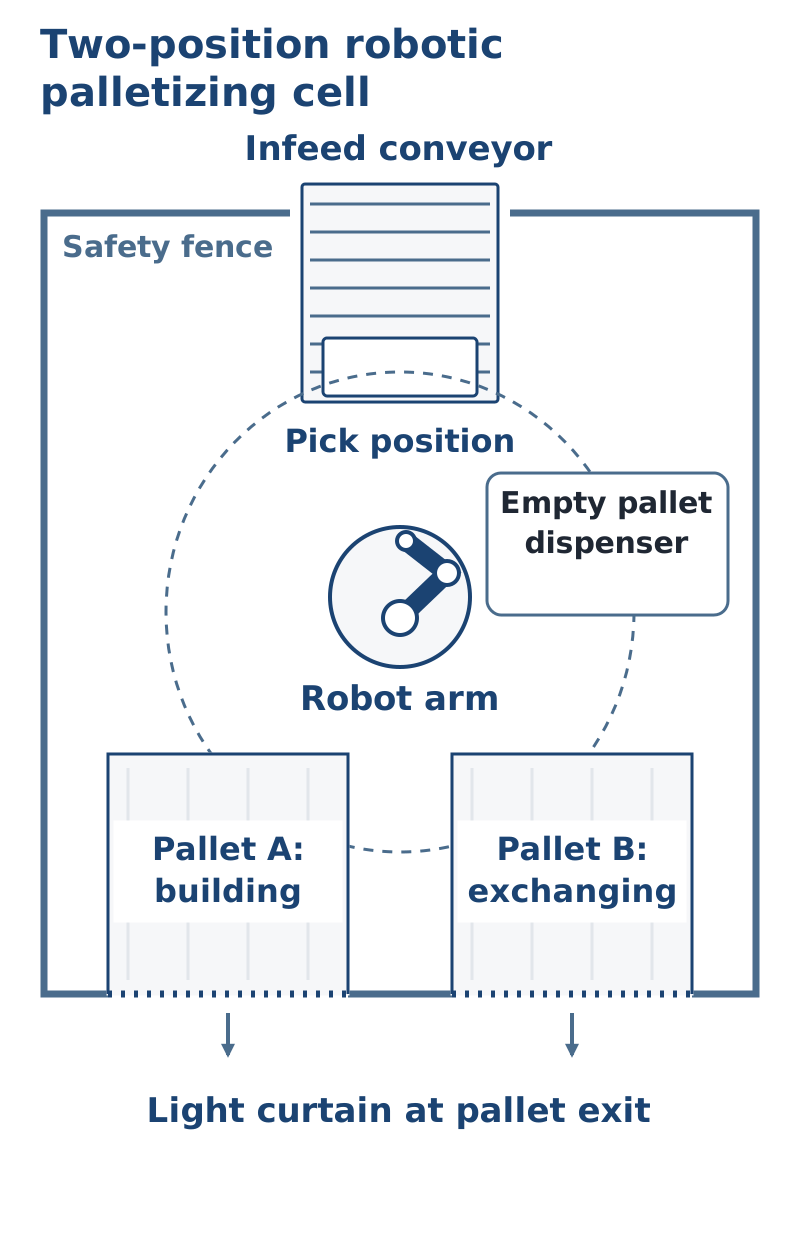
Tool choice depends on the package. The common types are vacuum, side clamp, bottom support, and fork, and many tools combine them. A manufacturer product page lists side clamp, bottom support, and vacuum lift among its available end effectors.
- Vacuum tools grip the top of a sealed case or tray with suction cups or a foam plate. They suit rigid, clean, flat-topped packages and allow tight placement, because nothing sits between neighboring packages. They work less well on dusty, wet, porous, or poorly sealed surfaces, and they need a defined response to vacuum loss.
- Clamp tools squeeze packages from the sides. They handle packages that vacuum cannot grip, but the clamp thickness requires spacing between packages, so loads may need settling or compaction.
- Bottom support and fork tools carry packages from beneath. One manufacturer describes building layers loosely on an apron so the support tool can slide under, then using four-sided clamping to square the layer on the pallet.
- Combination tools might use vacuum for cases and a separate mechanism to place slip sheets, so one robot handles several tasks.
Cell configurations
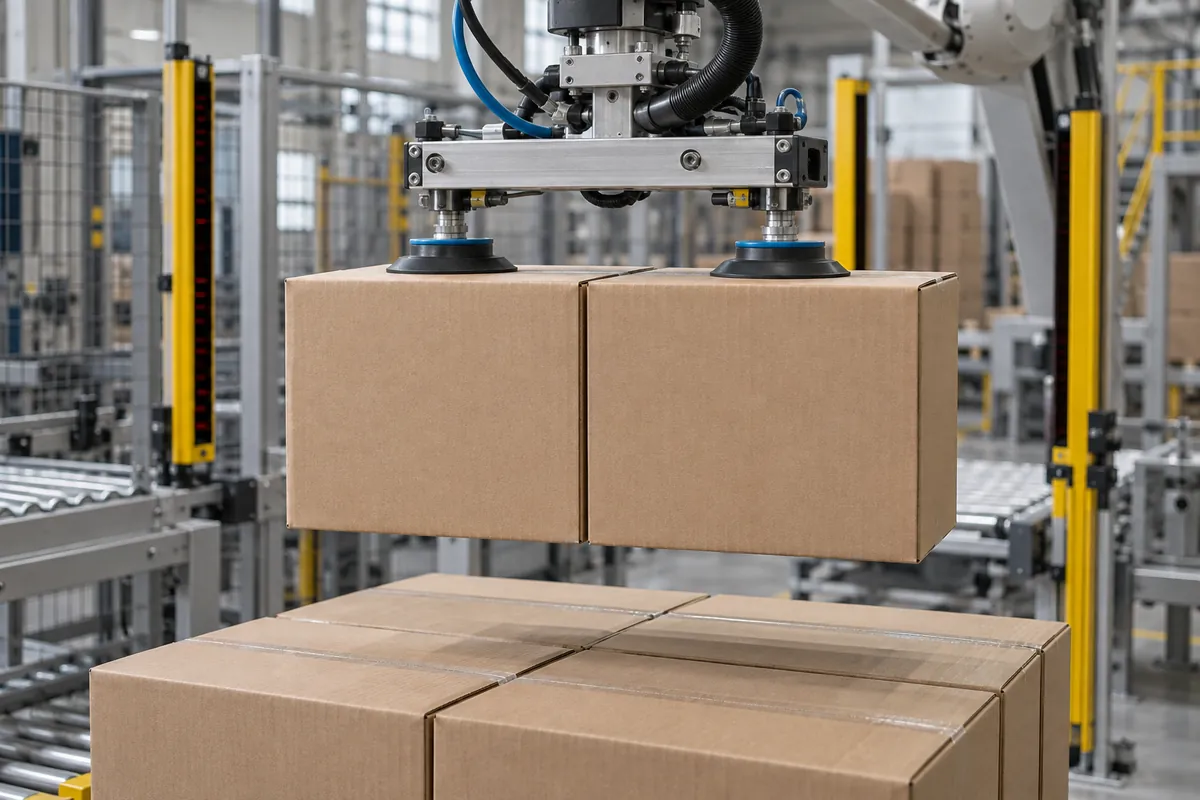
The simplest layout has a single infeed and a single pallet position. The arm builds one pallet at a time, and the wrapper or an operator removes it. Rate drops while the pallet is exchanged unless the robot can switch to a second position.
A second pallet position can allow building while the other position is exchanged. Verify the safeguarded exchange sequence and its time in the sustained-rate trial.
With multiple infeeds, two or more lines feed one robot, which builds one or more pallet positions. This improves use of the robot, but accumulation and control logic must keep any line from being starved.
Layer-forming cells use a table that assembles a full layer, and the robot then picks the layer in one cycle. This raises rate but adds mechanical equipment and gives up the flexibility of case-by-case placement.
A collaborative application is defined by the assessed interaction between people and the complete robot system, not by arm size. Select the safeguarding and operating limits for the tool, load and tasks, then validate the actual cycle time under those limits. ISO 10218-2:2025 addresses industrial robot applications and cells (official scope accessed October 8, 2026; References).
Hybrid cells mount a robot within a conventional controlled-entry frame, as one manufacturer describes, to combine robotic flexibility with a conventional footprint.
Technical specs to evaluate
Rate, payload, and reach interact, so evaluate them together on your own packages. The table lists the items that most often differ between quotes.
| Specification | Why it matters | What to ask the supplier |
|---|---|---|
| Payload including tool | The tool weight is part of the load the arm carries; an undersized robot slows down or wears faster | What is the tool weight, and what is the margin between loaded weight and rated payload? |
| Reach and pallet height | The arm must reach the far corner of the top layer, and the farthest infeed position | Does the cell reach every pattern position on the tallest pallet and the largest pallet size? |
| Picks per cycle | Rate depends on how many packages move in one cycle | How many packages per pick for each SKU, and what is the resulting sustained rate? |
| Sustained vs peak rate | Brochure figures are often peak figures under favorable conditions | Is the rate sustained over a shift, and does it include pallet change and sheet insertion? |
| Pattern library and editing | New patterns drive changeover effort | Can operators create and edit patterns from the HMI, or does the supplier have to program them? |
| Tool changeover | Different package sizes may require a tool change | Which SKUs share a tool, and how long does a tool change take? |
| Pallet range | Pallets vary in size, height, and condition | Which pallet types and sizes are supported, and how are damaged or inconsistent pallets handled? |
| Load stability | Loads must survive handling and transit | Is the pattern verified for stability, and are compaction, squaring, or sheets needed? |
| Infeed requirements | Poor presentation lowers rate | What conveyor height, spacing, and orientation does the cell require? |
| Controls platform | Support and spare parts depend on it | Which PLC and robot controller are used, and do they match plant standards? |
| Safeguarding | Determines the footprint and entry points | What guarding, light curtains, or scanners are included, and how does the cell respond when a pallet is removed? |
| Recovery behavior | Dropped cases and misloads happen | How does the cell recover from a dropped package or vacuum loss without a restart from the beginning? |
For a more general approach to comparing figures between suppliers, see the guide on how to choose a palletizer.
Package compatibility
Robotic cells handle many package types, though each type brings its own requirements.
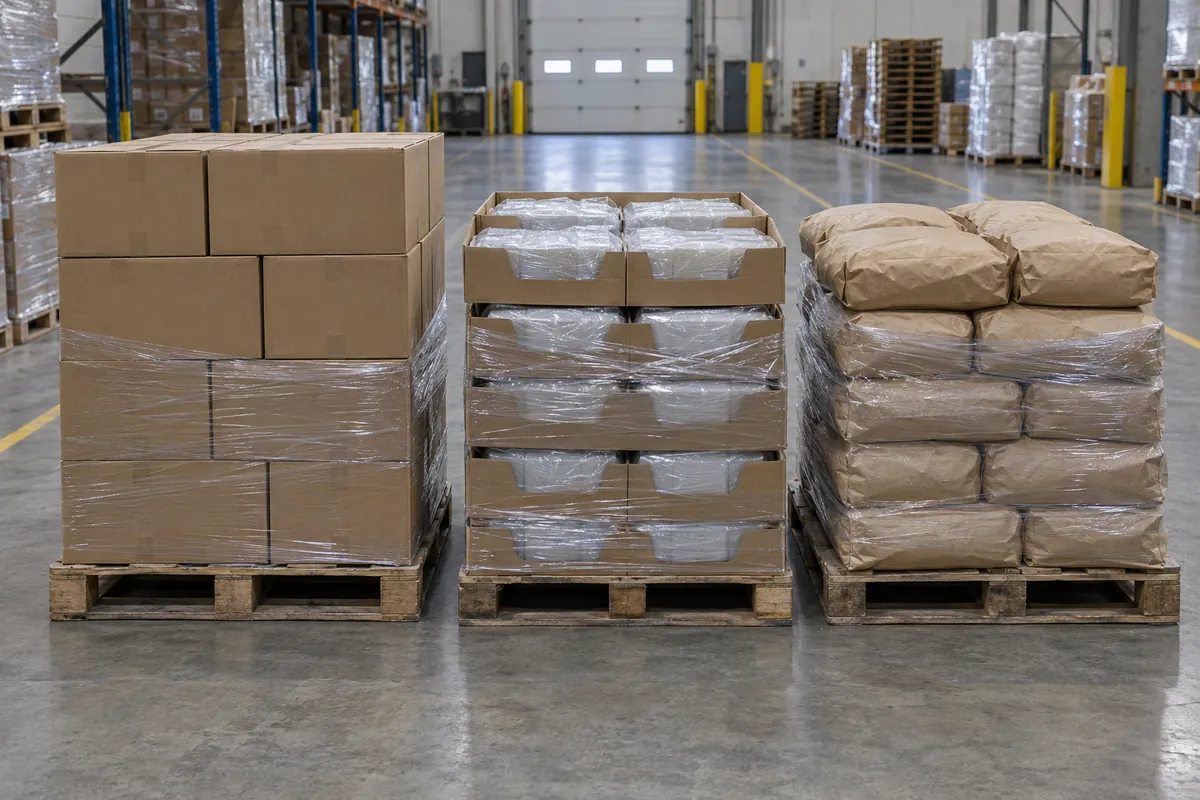
Corrugated cases and cartons are the most common application. Vacuum tools work on clean, sealed, flat-topped cases, and clamp or fork tools suit those that vacuum cannot hold. Shrink-wrapped bundles and open trays may need support from beneath or from the sides, because the film or tray walls might not allow a vacuum grip.
Bags and sacks are flexible and shift when lifted. Tools designed for bags typically support the bag from beneath, and one supplier article describes a compaction step that squares the stack. Bag handling is one of the cases where conventional machines are often described as needing extra reinforcement. Pails, drums, and bottles are round or tall, so they need tools that center and hold them without crushing, and the pattern must account for stability.
Software patterns also allow mixed-SKU and display pallets when the infeed can sequence products. This is a strength of robots, though the upstream system has to deliver the products in the right order.
Check the extremes of the package range, not only the average. A very light case, a very heavy case, or a tall narrow package can each change the grip, the speed, or the stack stability.
Integration upstream and downstream
Upstream, the robot depends on what the case packer, sealer, and conveyors deliver. Case dimensions that vary, flaps that open, and packages that arrive tilted can disturb a pick. Accumulation before the pickup position keeps the robot supplied during short upstream stops. The conveyors section covers the transport equipment that feeds the cell, and vertical conveyors are relevant when the infeed must change elevation.
Downstream, the finished pallet leaves on a conveyor toward a stretch wrapper, labeler, or accumulation lane. A simple handshake between the cell and wrapper controls pallet release. Some plants use a wrapper at the pallet position, and others use a separate station so the robot can keep building. The next pallet should already be waiting, since a delay in releasing a pallet is a common reason for lost output.
Controls integration matters as much as mechanical fit. Ask how the cell reports status, how it shares data with plant systems, and how pallet labeling and tracking tie in. The equipment overview shows how the cell connects to the rest of the packaging line.
Related pages cover case palletizers and high level palletizers. For the buying decision, see the robotic versus conventional palletizer guide and the palletizer cost guide. Mixed-product plants can read more in food packaging and pallet handling.
Footprint, utilities, controls, and safety
Compare measured layouts for the same duty; an arm-base area is not a cell footprint. Mark the robot/tool swept space, every pallet position and exchange route, infeed and accumulation, dispensers, wrapping/discharge, safeguarding distances and maintenance access. Check forklift lanes and staging outside that boundary too. Use this full envelope for both robotic and conventional candidates.
For utilities, expect electrical power and compressed air. Vacuum tools add a vacuum source, either a pump or ejectors, and these have their own air or power demands. Ask for the connected load, the air consumption at the quoted rate, and any requirements for air quality.
Controls are typically a robot controller and a PLC working with an operator screen. One manufacturer describes the robot acting as a slave to the PLC, with patterns created through the screen rather than robot programming. The practical test is whether your own technicians can change a pattern and diagnose a fault without the supplier.
ISO’s official pages identify ISO 10218-1:2025 for industrial robots and ISO 10218-2:2025 for robot applications and cells (accessed October 8, 2026). Agree the applicable national adoption and edition with the integrator rather than treating an older announcement as a current U.S. adoption statement. The assessment must include the tool, workpiece, peripheral equipment and human tasks; a collaborative arm alone does not establish a collaborative application.
Safety-related control functions, such as door interlocks and emergency stops, are commonly designed against ISO 13849-1, which defines performance levels and categories. Palletizing adds hazards that a robot alone does not, including a dropped package from the top layer, vacuum loss, and stack collapse. Select tools that avoid creating additional risk, and have a qualified person perform a risk assessment of the complete installation, including pallet exits and maintenance tasks. Do not assume a collaborative robot removes the need for safeguarding.
Cost factors
This guide does not state prices, because they vary with scope and market. These are the drivers that most often separate one quote from another:
- Robot size, payload, and reach
- Tool design and the number of tool types needed
- Number of infeeds and pallet positions
- Layer forming, slip sheet handling, and pallet dispensing
- Guarding, light curtains, and scanners
- Conveyors, accumulation, and any elevation changes
- Wrapper, labeler, and discharge conveyors
- Controls platform, pattern software, and network integration
- Installation, commissioning, training, and spare parts
- Utilities, floor work, and any facility modifications
For return on investment, compare labor hours replaced, injury and absenteeism effects, rework from poor loads, and the value of flexibility. Quantify these with plant data, not supplier estimates.
Selection checklist
- List every package, with dimensions and weight range, and identify the hardest one.
- Record pallet sizes, damaged pallet frequency, and slip sheet use.
- Define pattern count, changeovers per week, and who will make them.
- State the sustained rate required, by SKU, with expansion room.
- Confirm tool compatibility for the entire package range.
- Decide the number of infeeds and pallet positions.
- Verify reach for the tallest pallet and farthest position.
- Specify the wrapper interface and pallet exit method.
- Request a risk assessment approach, safeguarding plan, and applicable standards.
- Confirm the controls platform, spare parts, and training.
- Check plant conditions: dust, moisture, temperature, and washdown.
- Ask for a factory or site acceptance test with your own packages.
Common mistakes
- Sizing for the average package. The lightest, heaviest, or tallest package often sets the limit.
- Comparing peak rates. Brochure speeds may not include pallet change or sheet insertion.
- Ignoring tool weight, which uses up payload and can reduce speed.
- Underestimating infeed quality. Uneven spacing and tilted cases lower the rate.
- Treating the robot as the whole system, when wrappers, dispensers, and conveyors often set the pace.
- Assuming a collaborative robot needs no guarding. The whole application sets the safeguards.
- Skipping pattern training. If only the supplier can edit patterns, changeovers stay slow and costly.
- Leaving recovery out of the specification. The cell must recover from a dropped case or vacuum loss without a long restart.
Alternatives
A conventional palletizer forms a full layer mechanically and places it in one motion. One manufacturer comparison says it generally holds a speed advantage for uniform packages, and it can integrate concurrent wrapping inside its frame. It is less flexible for frequent format changes and typically needs mechanical adjustment for them. High-level and low-level conventional machines differ in infeed height and rate, and the conventional guide explains both.
Other alternatives include gantry palletizers for tight floor plans and precise placement, hybrid cells that combine a layer former with robotic placement, and cobot cells for modest rates. Compare each against the same package list and rate target. If the plant runs one product at very high sustained output, a conventional machine deserves equal consideration. If it runs dozens of SKUs, a robot is often the first option to evaluate. For the full set of types, return to the palletizing systems overview.